The AddEmployeeNumberTrackingforIVXfers feature will allow an employee number to be included in the transaction description of the inventory transfer entries - representing the employee number that is delivering the materials (tools).
Setup Requirements - In addition to enabling the new advanced setting, there are some additional requirements for using this feature:
oInventory Master List - Your tools will need to be listed on the Inventory Master list so that they can be referenced in the transfer screen. If you have other types of inventory on the Inventory Master list then you may want to set up a tools category for your tools. The tools will be transferred based on the inventory part number assigned to each tool. If you want to charge the job for the expense of the tool, then you can enter a selling price on the part number.
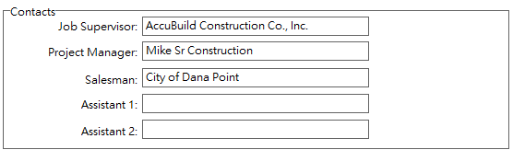
oJob List - The new Inventory Transfer Report will include the Job Supervisor and the Project Manager for each transaction based on the Job List fields for these roles on the job. This is NOT a requirement to use the new feature, but if you would like to have these fields included in the report, be sure to set them up on the Job List.
oMAR Report Access - This feature will require two new reports to be set up and secured for the users that will be accessing the Inventory Transfer screen and running the Historical Inventory Transfer Reports:
▪IVREP02G.714 - Historical Transfer Report - Job Order - Driver (Employee) - This report is located on the Inventory Reports Tree in the MAR Reports List
▪IVXFRJNL.292 - Inventory Transfer Journal - With Employee - This report is located on the Inventory Forms Tree in the MAR Reports List